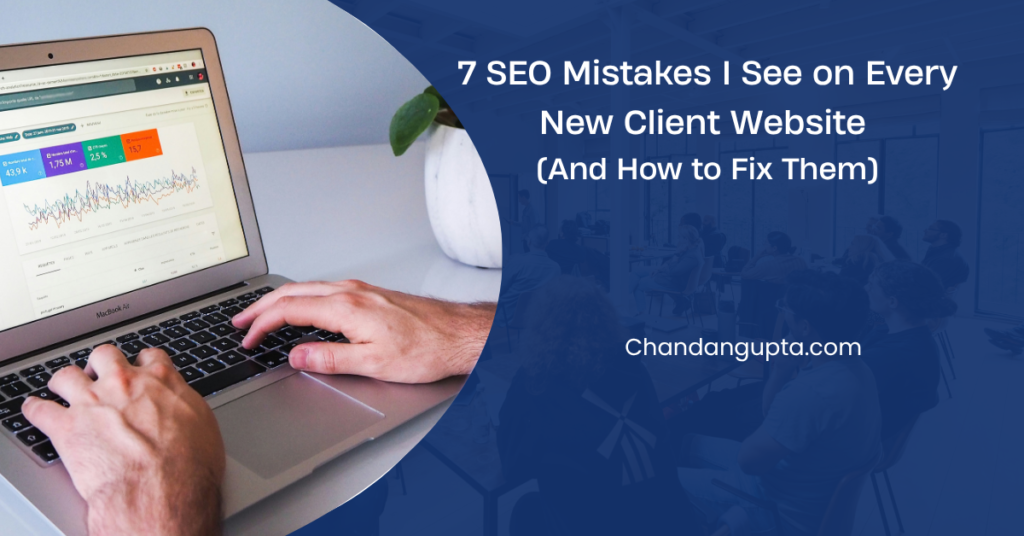
After auditing websites for over 15 years of experience, I’ve noticed something interesting: the mistakes are almost always the same.
Whether it’s a local business, an e-commerce store, or a B2B service site — the same fundamental errors keep showing up, slowing rankings, wasting content budgets, and leaving traffic on the table. Sometimes these mistakes have been sitting there for years, quietly costing the business thousands of potential visitors every month.
The frustrating part? Most of them take less than an hour to fix.
Here are the 7 most common SEO mistakes I see on almost every new client website, and exactly what I recommend to fix them.
Targeting Keywords Nobody Is Searching For
This is the single most common mistake — and the most expensive.
I’ve seen businesses spend months creating content around keywords like “best professional services company in our city” — terms that have zero search volume and no commercial intent. They’re writing for keywords that exist in their head, not in Google. Others go the opposite direction and target terms so broad and competitive that a new site has no realistic chance of ranking for them.
Both approaches waste time and money.
The fix: Before writing a single word, do keyword research. Use tools like Google Keyword Planner, Ahrefs, or even Google’s autocomplete to find what your actual audience types into search. Look for keywords that balance search volume, intent, and competition. A keyword with 500 monthly searches and low competition will often drive more qualified traffic than chasing a high-volume term you’ll never rank for.
Title Tags That Are Generic, Missing, or Duplicated
If there’s one on-page element Google pays close attention to, it’s the title tag. Yet on most new client sites, I find one of three problems: the title is just the business name, it’s duplicated across multiple pages, or worse — it defaults to whatever the CMS auto-generated.
A title tag like “Home | ABC Company” tells Google and the user nothing useful. And when multiple pages share the same title, Google can’t determine which one should rank for a given query — so often none of them rank well.
The fix: Every page needs a unique, descriptive title tag that includes the primary keyword and stays under 60 characters. Format it clearly: Primary Keyword – Brand Name. Your homepage, service pages, and blog posts each need their own distinct title. Getting this right alone can improve rankings for pages that were previously invisible.
Meta Descriptions Left to Autopilot
Meta descriptions don’t directly impact rankings — but they directly impact click-through rates. A blank or auto-generated meta description means Google picks any random snippet from your page, which is often not the most compelling text.
Think about it from the user’s perspective: they see 10 results on a page. The one with a clear, benefit-driven description gets the click. The one with truncated auto-generated text gets skipped — even if it ranks higher.
On client sites using WordPress, I regularly see Yoast SEO installed but every meta description field left empty.
The fix: Write a custom meta description for every important page. Keep it under 155 characters, include the target keyword naturally, and treat it like a mini ad. It should give someone a specific reason to click your result over the others on the page.
Images That Slow the Site and Say Nothing to Google
Two image problems usually appear together: no alt text, and no compression.
Alt text isn’t just an accessibility requirement — it’s how Google understands what an image shows. A product photo with the filename “IMG_4523.jpg” and no alt text is completely invisible to search engines. You’re leaving image search traffic and on-page relevance signals on the table.
The compression issue is even more damaging to rankings. Unoptimized images — often 2–5MB uploads directly from a phone — drag page load times down significantly. Google uses Core Web Vitals as a ranking factor, and large images are one of the most common causes of a poor LCP (Largest Contentful Paint) score.
The fix: Add descriptive alt text to every image, including a relevant keyword where it fits naturally. For compression, run images through a tool like ShortPixel or Squoosh before uploading, or use a WordPress plugin to handle it automatically. Target under 200KB per image where possible.
Internal Linking Treated as an Afterthought
Internal links are one of the most underused SEO levers on the web. Most new clients have no internal linking strategy at all — pages exist as isolated islands with no connections between them.
This creates two problems. First, link equity from your high-authority pages isn’t flowing to the pages that need it most. Second, Google has no clear signal about which pages are most important on your site, making it harder to determine what should rank.
The fix: Every time you publish new content, link to at least 2–3 relevant existing pages — and go back to older content to add links pointing to the new page. If you want to understand how I approach this for client sites, read my story here. Use descriptive anchor text that tells both users and Google what the destination page is about. Avoid vague phrases like “click here” or “read more.”
No Google Search Console Setup
This surprises people — but a significant number of new clients I work with have never connected their site to Google Search Console. They’re flying completely blind.
Without Search Console, you don’t know which queries are bringing traffic to your site, which pages Google has indexed, whether there are crawl errors affecting discovery, or if a manual penalty has been quietly applied. You also can’t submit a sitemap, which means Google may take much longer to find and index your new content.
The fix: Set up Google Search Console immediately after launching a site. Verify ownership, submit your XML sitemap, and make it a habit to check the Coverage and Performance reports weekly. It’s free, it’s direct data from Google, and it’s the most valuable SEO tool you’re not paying for.
Google also keeps adding new reports. The latest is a Search Console multimodal filter that shows traffic from image-based searches.
Publishing Thin Content and Expecting Rankings
“We published 20 blog posts last quarter and nothing moved” — I hear this often.
When I audit the content, the posts are typically 300–400 words, cover the topic at surface level, and don’t fully answer the search intent behind the keyword. Google has gotten very good at evaluating whether a piece of content genuinely helps the reader or is just filler. With the increased emphasis on E-E-A-T (Experience, Expertise, Authoritativeness, Trustworthiness), thin content doesn’t just fail to rank — it can drag down the perceived quality of the entire site.
The fix: Focus on depth over volume. One well-researched, 1500-word article that fully answers a user’s question will outperform five thin 300-word posts every time. Before writing, analyze the top 5 results for your target keyword. Understand what those pages cover, what questions they answer, and what they miss — then write something more thorough and useful.
Final Thought
None of these mistakes are difficult to fix — but they’re easy to miss, especially when you’re focused on running a business rather than monitoring SEO.
The good news? Addressing even three or four of these issues on an existing site can produce noticeable improvements in crawlability, click-through rates, and rankings within a few months. Start with the fundamentals: keyword research, unique title tags, Search Console setup. Get those right, and everything else becomes much easier to build on.
Have a question about your site’s SEO? Comment below or explore more articles on the blog.

Chandan Gupta is an SEO expert with 15+ years of experience helping businesses improve search visibility. He specializes in technical SEO, local SEO, and on-page optimization. Read his full story →