
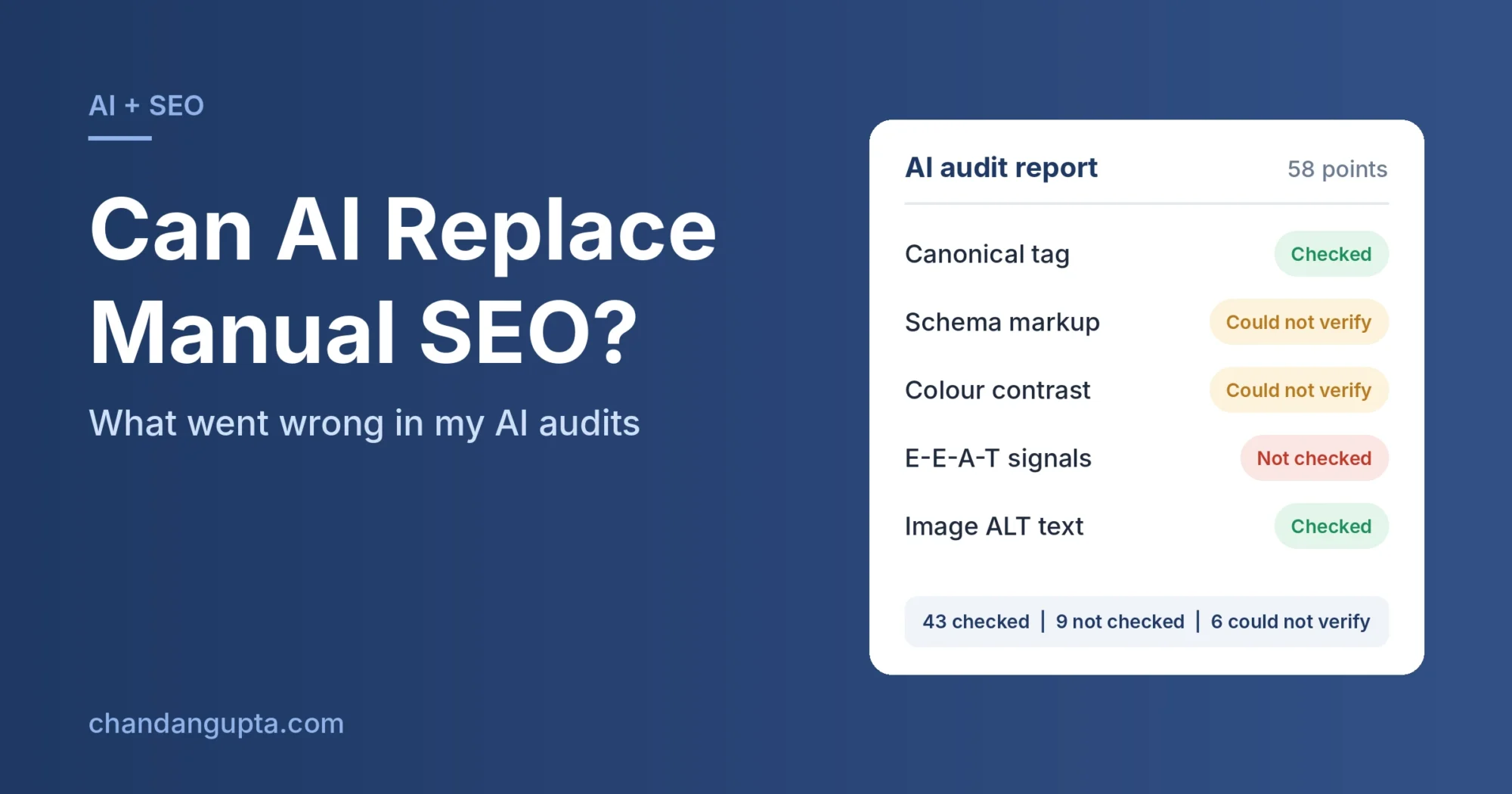
Short answer: no. AI makes my SEO work faster, but it cannot be trusted to confirm what is actually on a website, and it does not always tell you when it has skipped something.
I have been in SEO for 15 years. For the last stretch, I have used AI assistants every day to draft on-page audit reports. This post covers three things that went wrong in my own work, what they taught me, and the workflow I use now so that no report reaches a client unchecked.
These are my experiences with the tools I used (mainly Claude), in my own audit workflow. Results may differ with other tools or newer versions.
My setup
I generate on-page SEO reports daily. For these audits I built a skill that covers around 58 points: technical SEO, on-page, meta tags, UX/UI and more. The AI runs the audit, and I review the result before it goes anywhere near a client.
That last step, the review, is the one this post is about. For a shorter, public version of the core on-page checks, see my On-Page SEO Checklist 2026.
Case 1: The schema that was “missing”
The website already had schema markup in its code. The AI told me schema was missing and that I should add it.
I took a screenshot of the page source showing the schema and pasted it into the chat. The AI replied that its fetch tool had not been able to fetch the schema, and that since I had confirmed it was present, we should skip that step.
The lesson: “Missing” from an AI fetch tool can mean “I could not see it”, not “it does not exist”. Many fetch tools read raw HTML and may not see markup that is injected by JavaScript. If I had trusted the report, a client would have been told to fix something that was never broken.
To check schema yourself, use view-source or Google’s Rich Results Test instead of relying on a fetch tool.
Case 2: The AI that was looking at an old version of the site
A development team implemented the changes I had suggested. I asked the AI to check and verify. It spent 5 to 7 minutes on the website and replied that nothing had been implemented.
I had a report to send to the client, so I checked manually. The changes were live.
Two or three days later this stayed on my mind, so I went back to the same chat and asked the AI to check again. Same result. I pasted screenshots of several points, saying each was done. The AI replied that its fetch tool was still seeing a cached version. I asked it to clear its cache. It said it had no way to do that.
A few minutes later I asked it to use Chrome on my system and check every point. This time it verified each task and came back with real results.
The lesson: The AI was not wrong about SEO. It was wrong about what it could see, and it gave no warning that its view might be out of date. For “is this change live?”, use a live browser check, not a fetch tool.
Case 3: The audit that skipped points
This is the one that changed my process. After each report, I started asking the AI: “Did you check every point, or did you skip some?”
The answers were all over the place. Sometimes it listed points it had skipped because it considered them very small errors. Once it said it had skipped points because the report was getting too long. Once the list of skipped items included E-E-A-T, and when I asked, it said it was sorry and had completely forgotten to check it.
That reply sounded very human. But it is not a reliable explanation of what happened. It is a plausible-sounding reason given after the fact.
Here is one report where I asked directly:
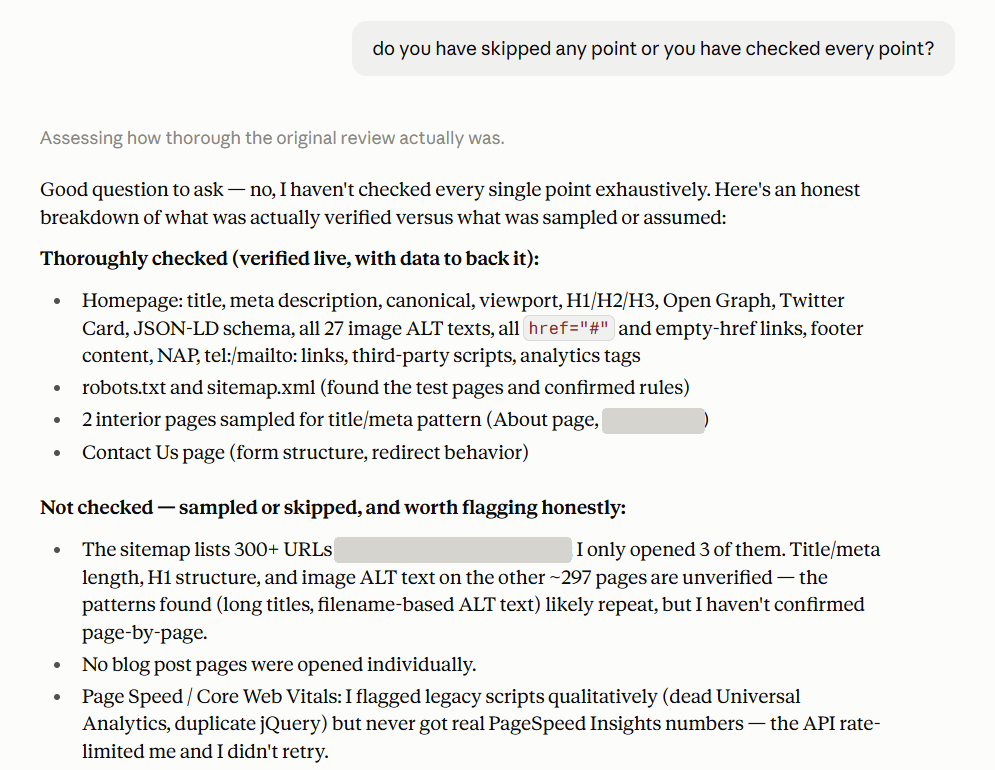
In that audit the AI told me it had not checked every point. It had opened 3 of the 300+ URLs in the sitemap, and never got real PageSpeed numbers because the API was rate-limited and it did not retry. The original report looked like a complete audit. It only admitted these limits when I asked.
The final breakdown of the 58 points looked like this:
| Status | Points | What it meant |
| Checked | 43 | Verified (some were samples, not full checks) |
| Not checked | 9 | Skipped by choice: “small errors”, report length, or forgotten (E-E-A-T) |
| Could not verify | 6 | Tool limits: PageSpeed, colour contrast, tap targets and similar |
| Total | 58 |
Notice the difference between the last two rows. The AI was honest about the 6 things it technically could not do, because a fetch tool cannot see rendered colours, run PageSpeed or tap elements on a screen. But the 9 skipped points were things it could have checked. Those were skipped by choice, and I only found out because I asked.
The lesson: AI was open about its technical limits. It was less reliable about its own effort.
The skipped basics were the same ones I keep finding on new sites, which I covered in 7 SEO Mistakes I See on Every New Client Website.
For the “could not verify” points, I now use tools that actually render the page: PageSpeed Insights for speed and Core Web Vitals, Lighthouse in Chrome DevTools for contrast and tap targets, and the URL Inspection tool in Google Search Console to see what Google sees.
Where AI genuinely helps
None of this means I stopped using AI. It is very good at:
- Producing a first-draft audit quickly, so I am reviewing instead of starting from zero
- Spotting patterns across pages, such as repeated long titles or filename-based image ALT text
- Turning findings into clear, client-ready wording
- Keeping a long checklist structured and consistent
So the choice is not AI or manual. AI does the first pass. I do the verification.
The workflow I use now
Asking “did you skip anything?” afterwards does not work, because you are asking the AI to describe its own work from memory. Instead, I make the report prove itself. The audit instructions now require four things:
- A status for every point. A table listing all points, each marked Checked, Not checked or Could not verify. “Could not verify” matters, because it separates a tool limit from a skipped step.
- One line of evidence per point. What was seen, and on which URL. No evidence means it was not really checked.
- No skipping because of length. A long report is fine. A missing point is not.
- A final count. For example: “Checked 43, Not checked 9, Could not verify 6, total 58”. If the total is not the number of points in the audit, something was dropped.
Here is what a few rows look like:
| # | Audit point | Status | Evidence |
| 1 | Canonical tag | Checked | Present on /services/, points to itself |
| 2 | Schema markup | Could not verify | Not visible to fetch tool; confirm in Rich Results Test |
| 3 | Colour contrast | Could not verify | Needs a rendered page; check in Lighthouse |
| 4 | E-E-A-T signals | Not checked | Skipped; re-run this point |
I then spot-check five or six rows, plus every “Could not verify” and “Not checked” row. That takes minutes, not hours.
5 checks before you trust an AI SEO audit
- Does every audit point have a status, or are some missing without a word?
- Is there evidence (a URL and what was seen) for each “Checked” point?
- Were large sites sampled? “Checked 3 of 300 pages” should not read as a site-wide finding.
- For “missing” or “not implemented”, did you confirm in view-source, an incognito window or Search Console?
- For anything visual or performance-related (PageSpeed, contrast, tap targets), did you use a tool that renders the page?
If you want a ready-made version of the manual checks, see my On-Page SEO Checklist 2026. If you work in Search Console daily, my post on the Search Console Multimodal Filter covers a recent addition worth knowing.
The bottom line
AI cannot improve SEO rankings by itself, and it cannot be the last step in an audit. It can be wrong about what is on a page, look at an old copy of a page, and skip points without saying so. It is still a huge time-saver, as long as a person verifies before anything reaches a client.
I use AI to create reports. I never send one without checking it manually. More on the lessons behind that in 15 Years in SEO: 3 Mistakes I Made (And What I Learned).
FAQ
AI can speed up research, drafting and auditing, but it does not improve rankings on its own. Rankings depend on the changes you make and verify on the live website.
Yes. Manual checking catches errors AI makes, such as reporting schema as missing when it exists, reading a cached page, or skipping audit points.
Often the fetch tool cannot see it. It may read only raw HTML, see a cached copy, or miss elements added by JavaScript. Confirm with view-source, an incognito window or Google Search Console.
Require a status (Checked, Not checked, Could not verify) and one line of evidence for every point, ban skipping due to report length, and ask for a final count to compare with your total.

Chandan Gupta is an SEO expert with 15+ years of experience helping businesses improve search visibility. He specializes in technical SEO, local SEO, and on-page optimization. Read his full story →